
Work on pages together: sharing, edit locks and auto-save
By Theron Gore · Updated October 2026
Your team can now share SendSites pages, hand them off, and edit them without overwriting each other or losing unpublished work.
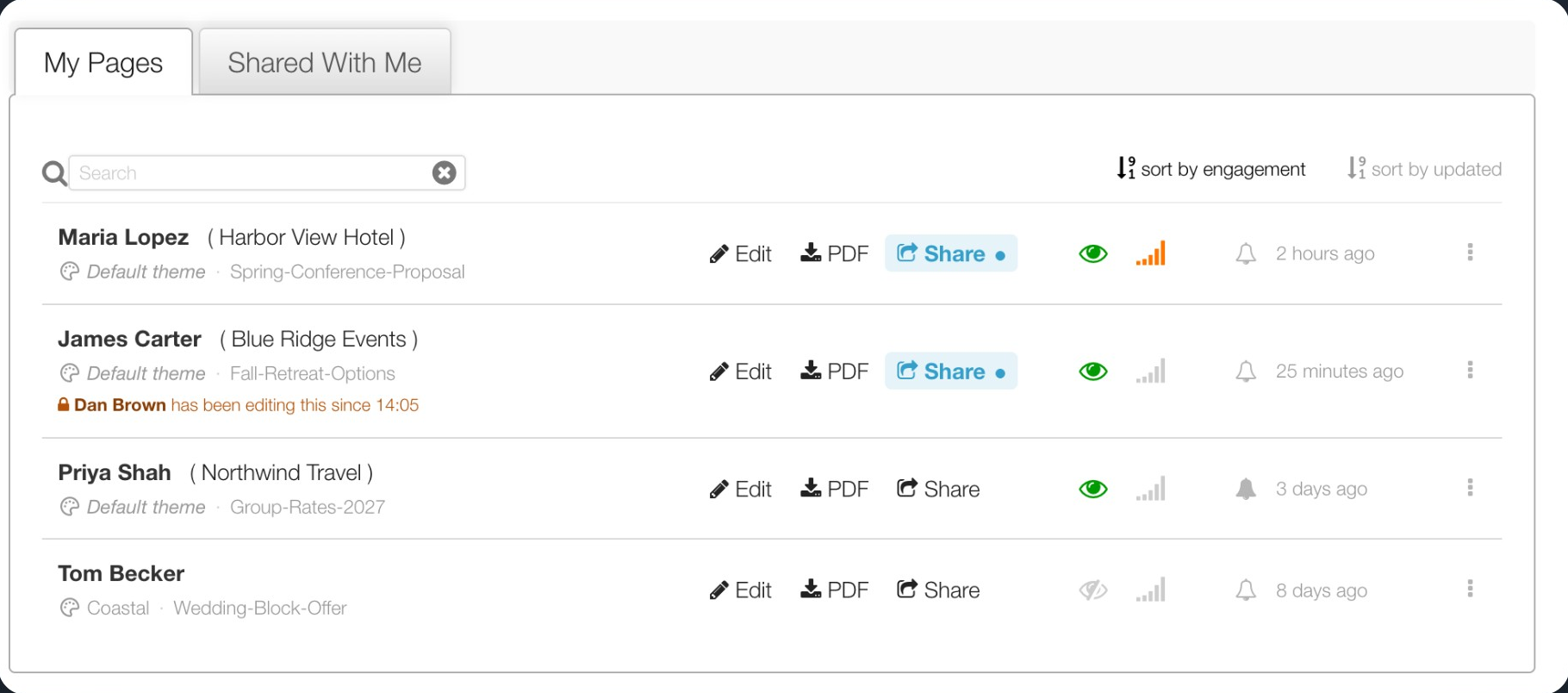
What’s new
| Feature | What it does |
|---|---|
| Page sharing | Share a page with chosen colleagues or with everyone in your account. Pages shared with you appear on a new Shared With Me tab. |
| Page transfer | Make another user the owner of a page, and keep working on it if you want to. |
| Edit locks | One person edits a page at a time. Everyone else sees who is editing and can ask for the page. |
| Auto-save | Unpublished changes are saved every minute and offered back if your tab closes or the page changes hands. |
| Admin settings | Account admins can share every page with everyone, and let selected users open and edit every page. |
How the pieces fit
Sharing decides who can open a page. Edit locks decide who is editing it right now. Auto-save makes sure nobody’s work is lost when a page changes hands.
So you can share a proposal with a colleague, let them pick it up while you’re out, and come back to find your own unpublished changes waiting in your Drafts.
Limits and timings
| What | Limit |
|---|---|
| Time an editor has to answer a request for the page | 30 seconds |
| Editor inactivity before the owner can take over | 2 minutes |
| Time before a page is freed if the editor’s browser stops responding | 5 minutes |
| Time between auto-saves while there are unpublished changes | 1 minute |
| Saved copies kept per person, per page | 10 (about 5 minutes apart) |
| Time before an unclaimed copy is removed | 30 days |
| Unfinished new pages kept per person | 5 |
| Largest page content that can be auto-saved | 1 MB |
Articles in this series
Did this solve your problem?
Still need help? Email support — 30-minute acknowledgment.
Get in Touch