
Auto-save: recover unpublished changes
By Theron Gore · Updated October 2026
SendSites backs up your unpublished changes every minute, so a closed tab, a crash or a handoff never costs you your work.
How auto-save works
- While a page has unpublished changes, a copy is saved every minute and again when you close the tab.
- The line under Save Draft shows the last backup, for example “Unsaved changes backed up at 2:15 PM.”
- Auto-save never publishes. Your live page only changes when someone clicks Publish.
Restore unpublished changes
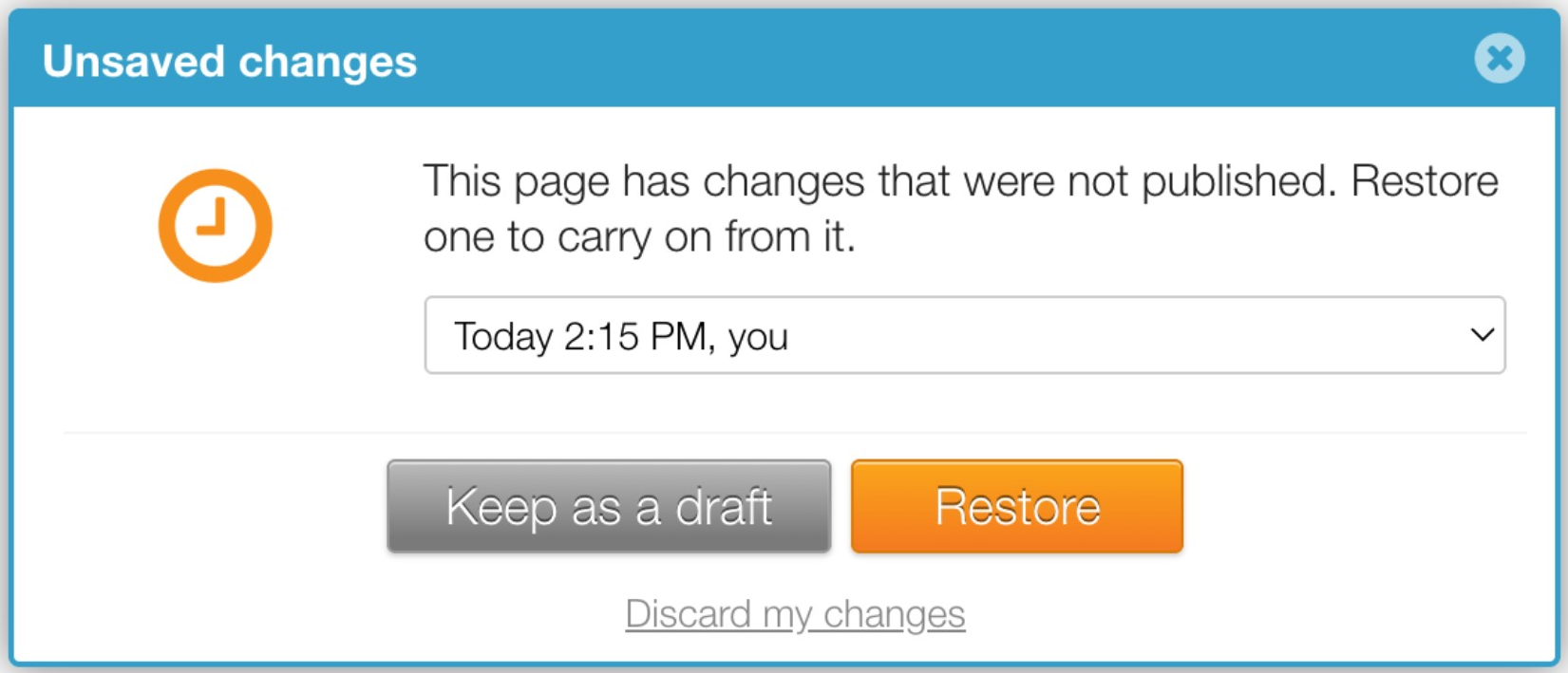
When you open a page that has unpublished changes saved, you’ll see Unsaved changes.
Pick a saved copy
Pick a copy from the list. Each one shows when it was saved and by whom.
Choose what to do with it
- Restore: carry on editing from that copy.
- Keep as a draft: save the copy to your Drafts instead of restoring it now.
- Discard my changes: delete the saved copies.
Pick up an unfinished new page
A new page started from a template and never published is saved the same way. SendSites offers it back, and you can continue it from any tab or browser.
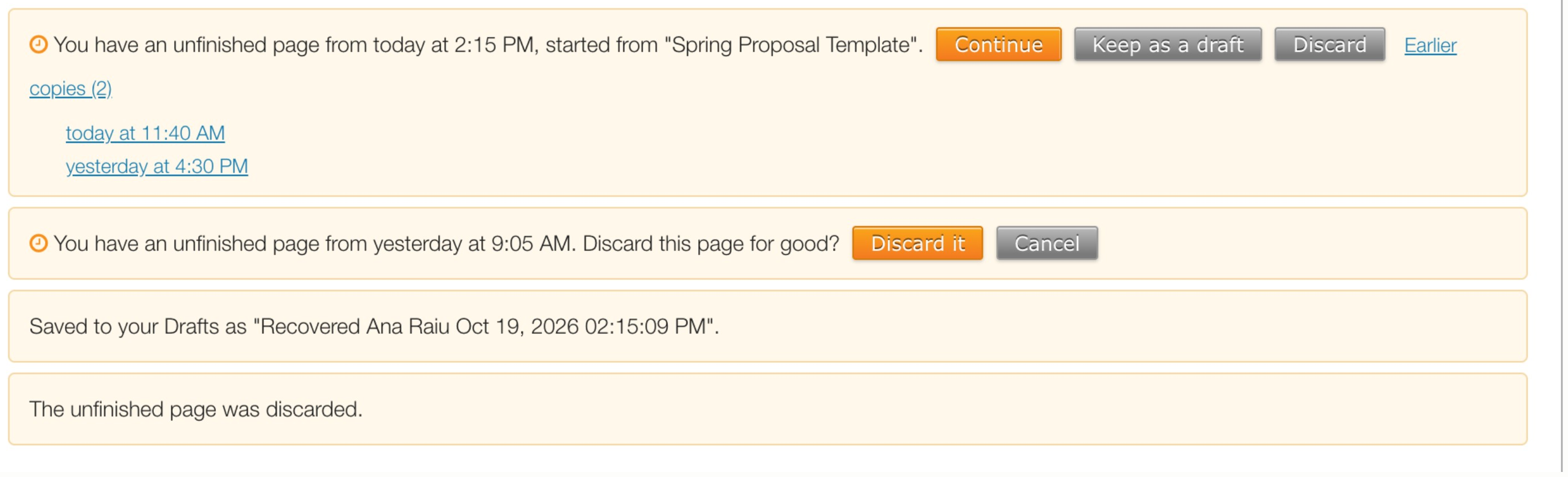
- Continue: open the page where you left off.
- Keep as a draft: save it to your Drafts.
- Discard: delete it. You’ll be asked to confirm.
- Earlier copies: open an older saved version instead.
Limits
| What | Limit |
|---|---|
| Time between auto-saves | 1 minute |
| Saved copies kept per person, per page | 10, about 5 minutes apart |
| Time before an unclaimed copy is removed | 30 days |
| Unfinished new pages kept per person | 5 |
| Largest page content that can be auto-saved | 1 MB |
Good to know
- When a page changes hands, the previous editor’s unpublished changes are saved to their Drafts. See Request access to a page or take it over.
Did this solve your problem?
Still need help? Email support — 30-minute acknowledgment.
Get in Touch