
When someone else is editing a page
By Theron Gore · Updated October 2026
Only one person can edit a page at a time, so nobody's changes are overwritten. If someone else has the page open, SendSites tells you who and lets you ask for it.
What you see
When you open a page someone else is editing, you’ll see their name, when they started, and how recently they were active.
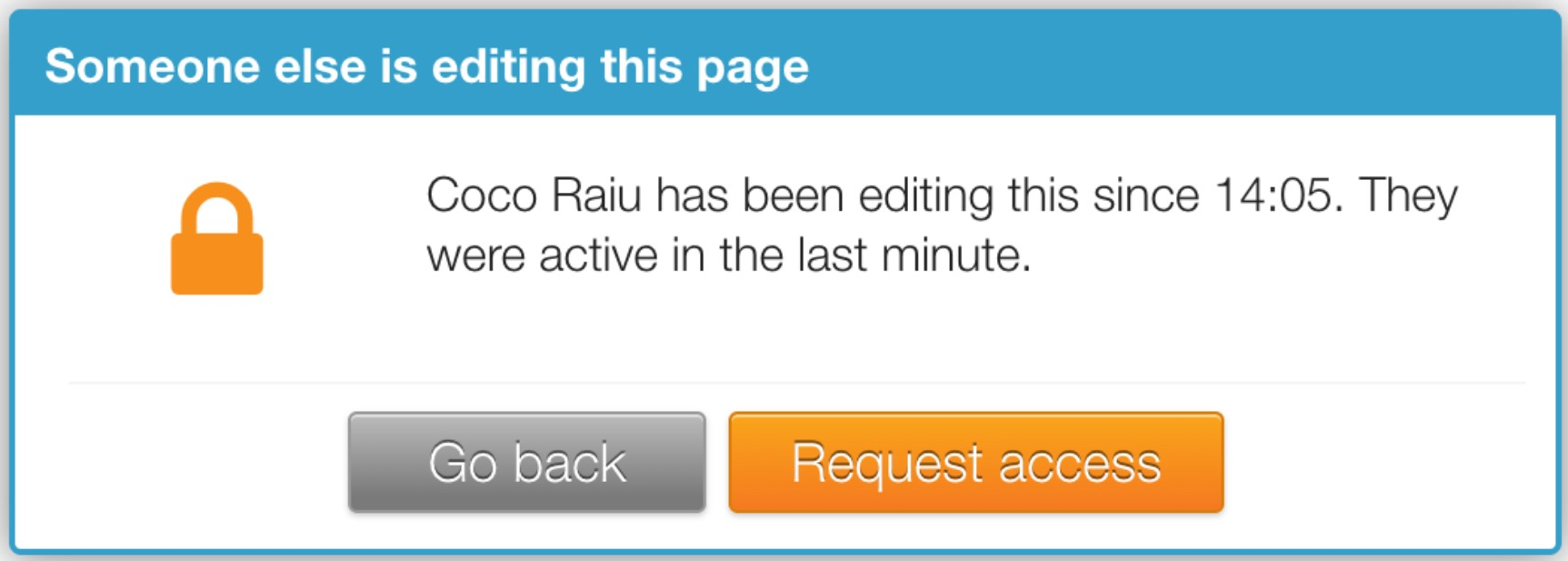
From here you can:
- Click Go back to return to your dashboard.
- Click Request access to ask the editor for the page. See Request access to a page or take it over.
See who is editing from your dashboard
You don’t have to open a page to find out it’s in use. On My Pages and Shared With Me, a line under the page shows who is editing it and since when, for example “Dan Brown has been editing this since 14:05.”
When the page is freed
| What happens | When the page is freed |
|---|---|
| The editor closes the editor | Right away |
| The editor’s browser stops responding (lost connection, laptop closed) | After 5 minutes |
| The editor accepts your request | Right away |
| The editor doesn’t answer your request | After 30 seconds, you can take over |
Good to know
- The editor’s unpublished work is never lost when a page changes hands. See Auto-save: recover unpublished changes.
Did this solve your problem?
Still need help? Email support — 30-minute acknowledgment.
Get in Touch