
Find pages you share and pages shared with you
By Theron Gore · Updated October 2026
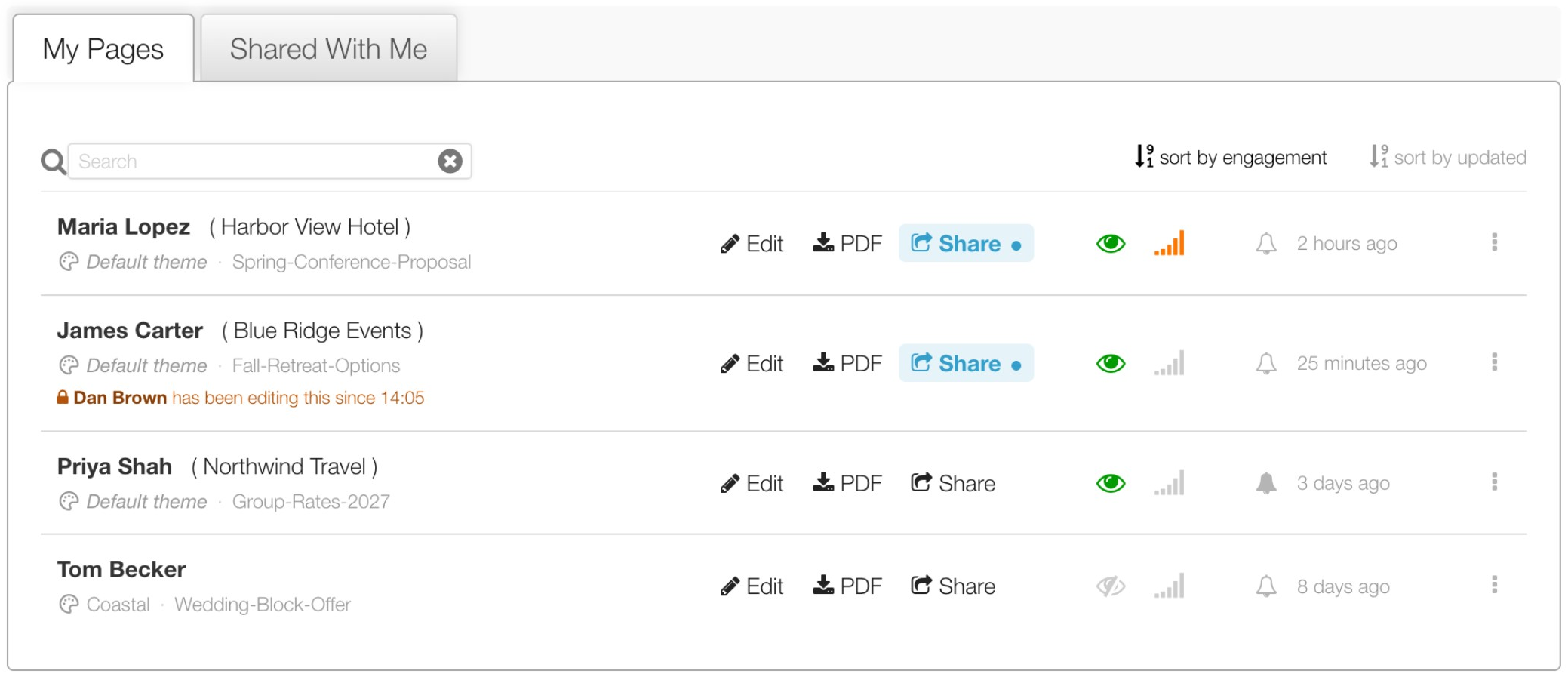
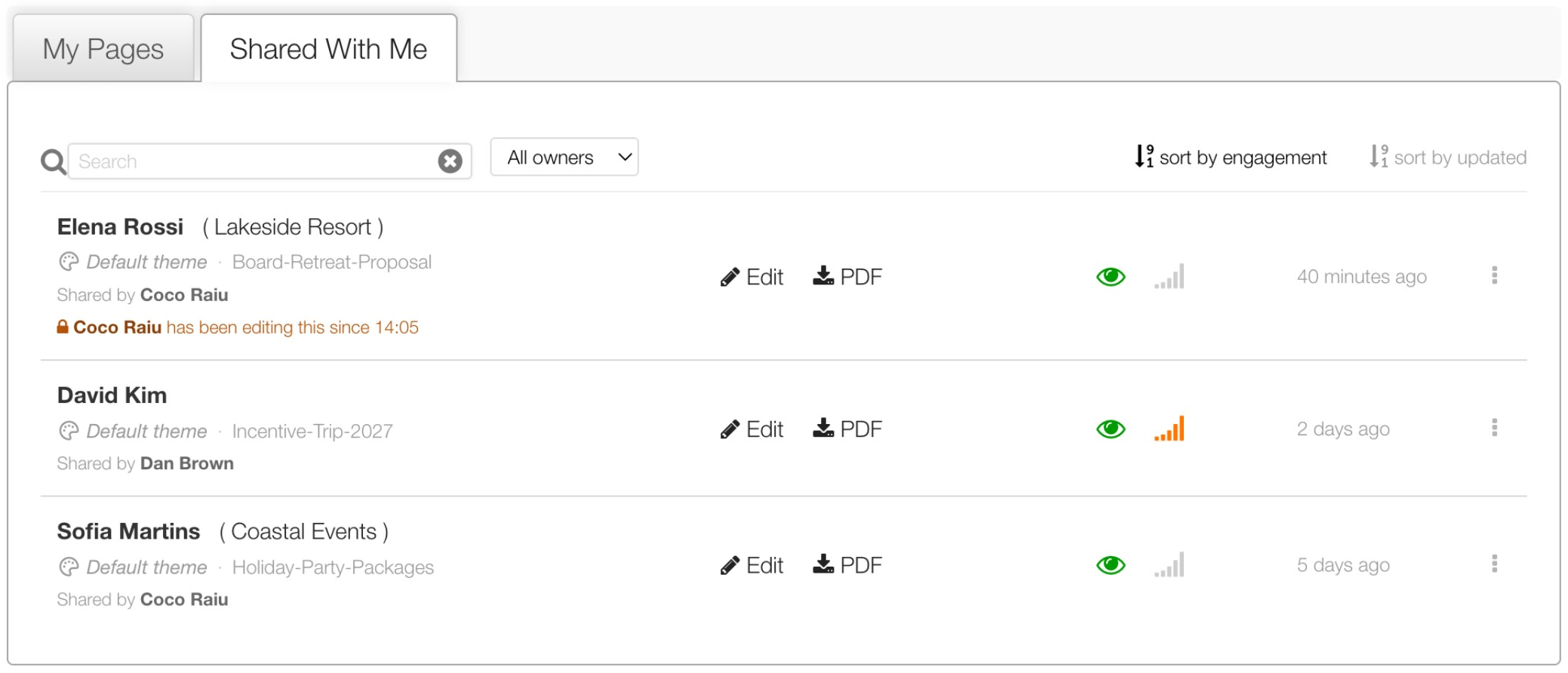
Your dashboard has two tabs: My Pages for pages you own, and Shared With Me for pages colleagues have shared with you.
My Pages
- Share dot: while a page is shared, its Share button is highlighted with a dot.
- Who is editing: if someone has the page open, a line under it says so, for example “Dan Brown has been editing this since 14:05.”
- Fixed columns: Edit, PDF, Share, the notification bell and the last-updated date always line up, so rows are easy to scan.
Shared With Me
- Shared by: every row names the person who owns the page.
- Filter by owner: use the All owners menu to show pages from one person only.
- Edit and PDF: you can open, edit and download any page here. Sharing, transferring and deleting stay with the owner.
Search by page name
Search on both tabs now matches page names too.
Good to know
- Pages appear on Shared With Me as soon as their owner shares them with you.
- To share one of your own pages, see Share a page with your team.
- If the row says someone is editing, see When someone else is editing a page.
Did this solve your problem?
Still need help? Email support — 30-minute acknowledgment.
Get in Touch